Getting the GameCube Online
Connecting classic video game consoles to modern home networks is often a frustrating hurdle for retro gaming enthusiasts. The Nintendo GameCube, while an incredibly beloved system with a robust library of fantastic titles, was released during an era when online console gaming was still in its absolute infancy. Because of this historical timing, getting the little purple cube connected to a local area network or the broader internet requires specific hardware that can be difficult to source. The original official broadband adapters released by Nintendo have become highly sought-after collector's items, driving their prices up significantly on the secondhand market and making them inaccessible to the average player just looking to experience a few classic LAN games or utilize modern homebrew tools.
Retro Context
During the sixth generation of video game consoles, networking was an experimental feature rather than a core pillar of the gaming experience. The GameCube had a few notable titles that supported networking, such as the LAN mode in Mario Kart: Double Dash!! and the online cooperative play in Phantasy Star Online. In recent years, the vibrant retro gaming and homebrew community has developed new methods to interface with the console's hardware, bypassing the need for expensive vintage peripherals. Projects like USB Dolphin have emerged, allowing users to route data through USB interfaces. This shift opens the door for using modern, inexpensive, and widely available networking hardware to bridge the gap between the classic console hardware and a modern home network, completely changing the landscape of GameCube connectivity.
The UE300 USB Ethernet Adapter
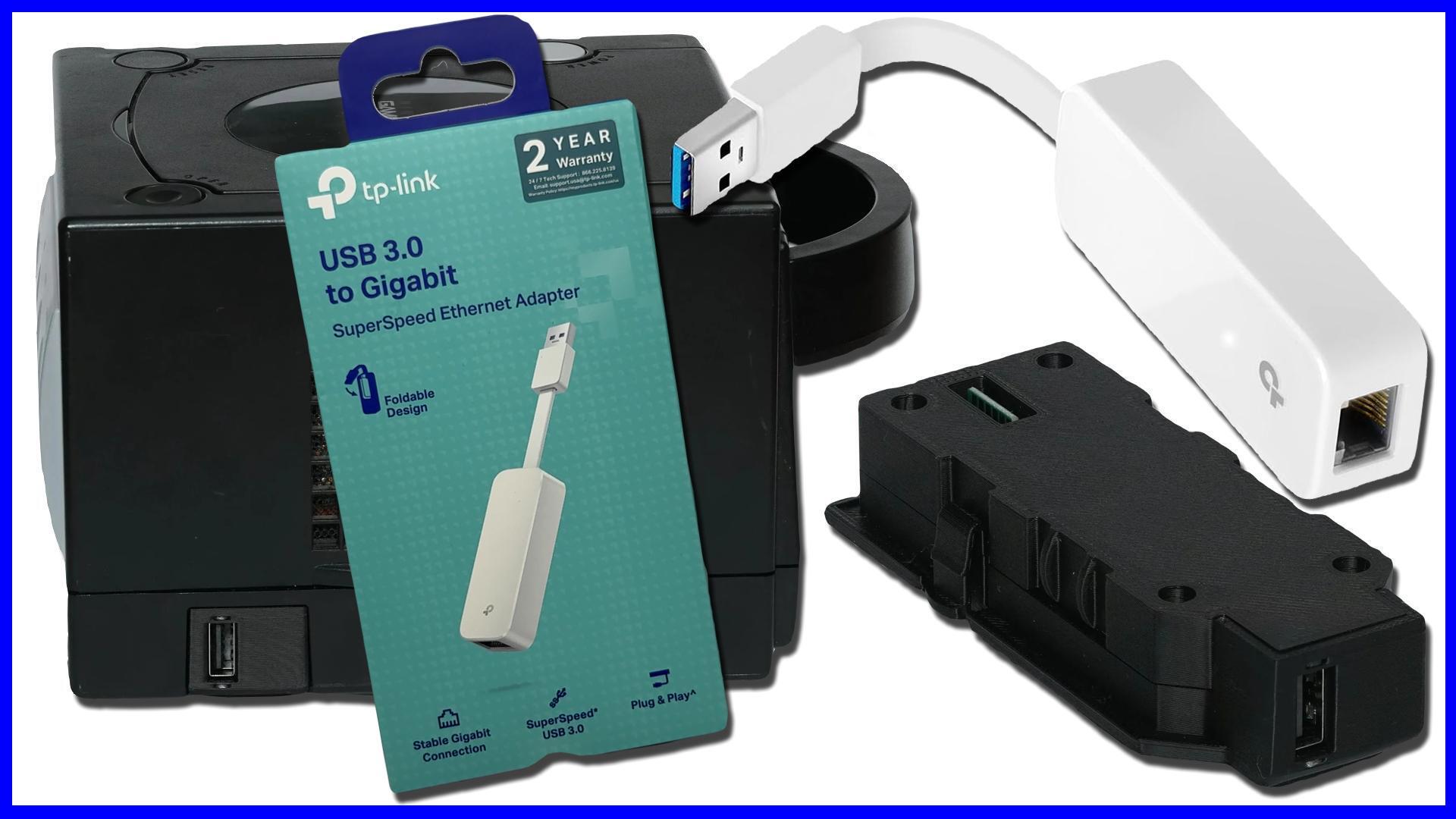
Recent community testing has highlighted a very practical piece of modern hardware for this exact purpose. The UE300 USB Ethernet adapter has been verified to be fully compatible with GameCube systems utilizing the USB Dolphin modification. The most compelling aspect of this specific adapter is its ease of use. When interfacing with supporting computers, it is recognized natively across all major desktop operating systems, including Windows, macOS, and Linux. Users do not need to hunt down obscure third-party drivers, navigate complex installation wizards, or even reboot their systems to get the adapter recognized and functioning. This plug-and-play reliability removes a significant layer of friction that is all too common when trying to mix modern computer networking gear with specialized retro gaming hardware setups.
Cable Management and Extensions
A common aesthetic issue when using modern USB dongles with classic video game consoles is that they can look incredibly out of place. A bright white or modern networking adapter jutting out from the side or back of the GameCube can ruin the clean, nostalgic look of an entertainment center. Fortunately, testing has shown that the adapter performs flawlessly even when paired with an extension cable. Specifically, routing the connection through an up-angle USB extension cord allowed the adapter to maintain its full data transfer speeds without any noticeable degradation in performance. This is a small but vital detail, as it means players can effectively route the cables away from the console and hide the modern networking adapter out of sight, preserving the visual appeal of their gaming setup while still enjoying all the benefits of a hardwired network connection.
Why It Matters
The practical value of this discovery is immense for the GameCube homebrew community. Finding modern, low-cost alternatives to rare original hardware lowers the barrier to entry for everyone interested in exploring the system's networking capabilities. The main audience for this information is players who have already implemented or are planning to implement the USB Dolphin modification and need a reliable way to get their system on the network. The plug-and-play nature across multiple operating systems means less time troubleshooting and more time actually using the hardware. However, a necessary caveat for readers is that this adapter is not a standalone magic bullet; it requires the foundational USB Dolphin setup to function with the GameCube. It will not work by simply plugging it into an unmodified console, so users must be prepared to undertake that initial modification process first.
Z-retro View
From an editorial perspective, the verified compatibility of the UE300 USB Ethernet adapter with the GameCube's USB Dolphin ecosystem is a perfect example of how the retro gaming community continues to innovate and adapt. When modern, off-the-shelf components can be seamlessly integrated into classic console setups without requiring complex driver configurations or compromising data speeds, it represents a massive win for hardware preservation and usability. It provides a clear, frustration-free path for enthusiasts looking to finalize their networking projects without overspending on vintage proprietary hardware, ensuring these classic systems remain functional and connected in the modern era.