Retro Context
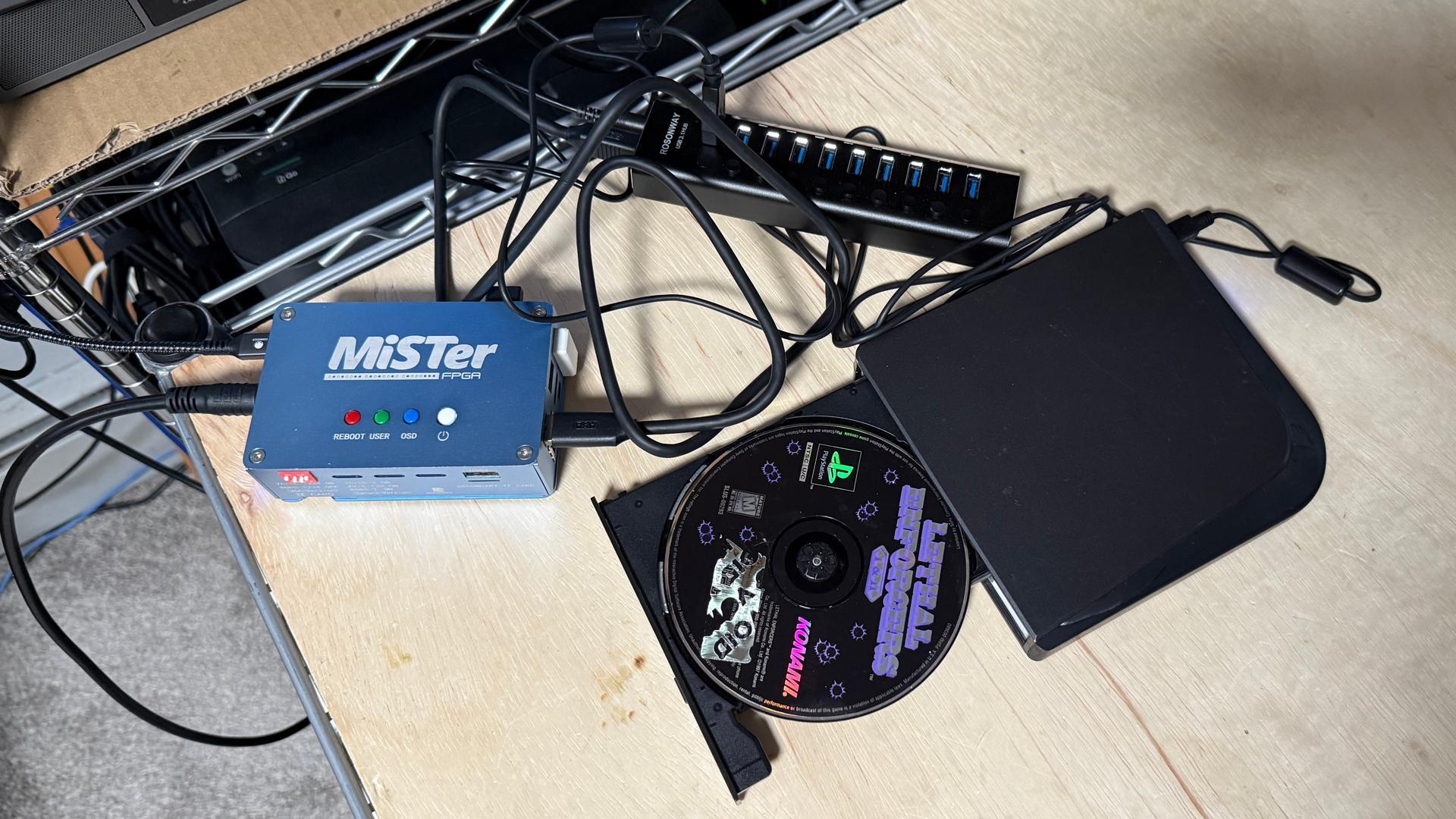
CD-based consoles made games feel bigger in the 1990s. Systems such as PlayStation, Sega CD, TurboGrafx-16 and PC Engine CD, Sega Saturn, and Philips CD-i used optical discs as part of their everyday play. MiSTer recreates classic hardware through FPGA cores, and Anime0t4ku’s new project adds a way to use physical discs with several of those systems. For players who still have original discs on the shelf, that connects a modern MiSTer setup with a familiar piece of the original experience.
The project is called MiSTer Physical Disc, and it works with the listed console cores through files in a new directory rather than creating a separate fork for each one. That approach matters for upkeep: Anime0t4ku can use the existing .mgl files instead of maintaining copies of the current cores. The CD-i core is the exception described in the project notes; it needs its own fork, which is included automatically.
Why It Matters
The setup is designed to be straightforward. Download the latest zip release from the project’s GitHub page and extract it onto the MiSTer’s MicroSD card. The instructions also call for adding a line to the bottom of MiSTer.ini; check the project’s current guidance for that line before editing the file. After the next boot, a “Physical Disc Cores” directory should appear. Load a supported entry, then insert the game disc. The disc can go in before or after launching the core, and the project is intended to behave like the original console.
The project says external optical drives should work, though a slimline drive may need a powered USB hub. Drive performance can vary. In the reported test, an older slimline unit did run games, but playback stuttered. That is a useful reminder that compatibility and smooth performance are not quite the same thing: the test suggests the drive matters, while not establishing how every model will perform. If you already own a USB drive, it may be worth trying, but results can depend on the hardware.
Support is also expanding over time. Anime0t4ku has been refining loading speed and adding support for more cores, so the latest release is the one to look for when setting it up. The project page is at https://github.com/Anime0t4ku/Main_MiSTer_Physical_Disc, and the developer’s support page is https://www.patreon.com/cw/Anime0t4ku. Checking the current release notes before installation should help you see what has changed and which cores are covered.
Z-retro View
Physical disc loading gives MiSTer owners another way to enjoy a collection they already have, while keeping the original media in the process. It also makes the setup feel closer to using a period console: choose the system, load its core, and put in a disc. The project’s use of existing core files for most systems is a practical choice, since it avoids the need to keep many separate forks in sync.
There is an interesting timing note, too: this project reached disc loading before the official SuperStation One disc loading was released, and Anime0t4ku showed it working with the SuperDock. Because the project is open source, its development could leave room for people to contribute further refinements. For now, the sensible expectation is a useful, evolving option with performance that depends in part on the USB drive. MiSTer owners interested in physical media can follow the project as support and loading continue to develop.