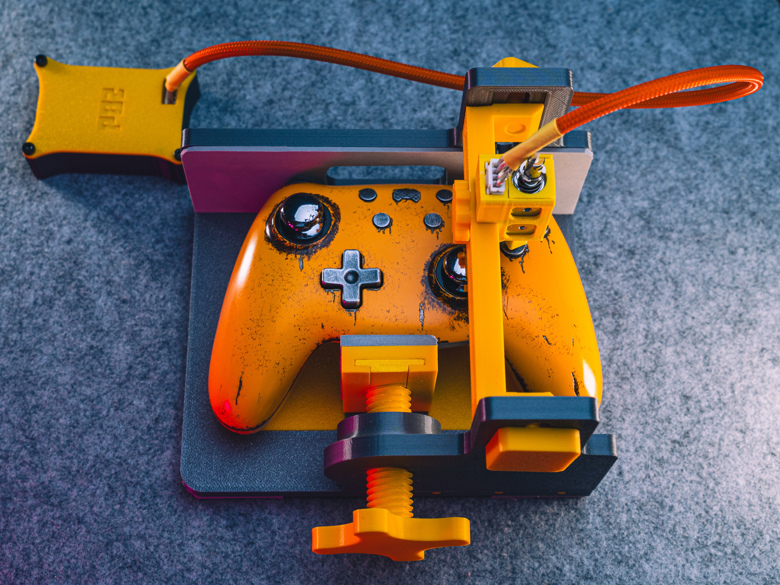
Gamepadla, the team behind the controller-lag testing platform, is now offering the Prometheus 82: a kit that pairs a latency-testing circuit with a 3D-printed controller brace and solenoid. It is designed to measure button and stick response without opening the controller. For people who have wanted to test a pad without taking it apart or soldering to it, that makes the process easier to approach.
The setup has an important boundary, though. Prometheus 82 measures the time from a physical input to that input being registered on the connected PC. That result includes the controller, but it also includes the computer and its operating system. It is a reading of the full input path in that setup, rather than a measurement of controller hardware in isolation.
Retro Context
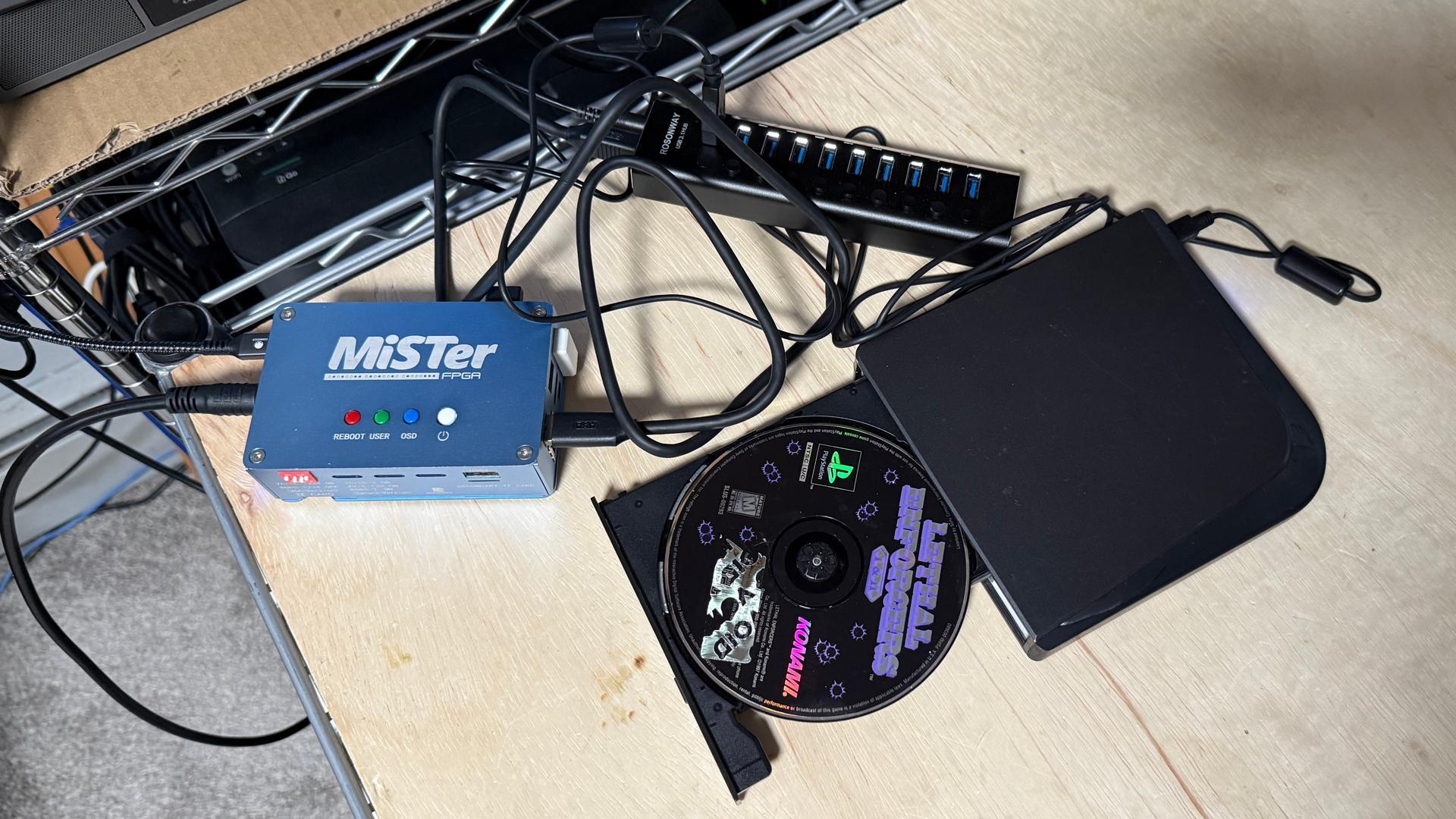
Controller latency is familiar territory for retro players and hardware reviewers, but the measurement method shapes what a number tells us. An isolated test, such as one done with a MiSTer lag-testing setup, can help separate a controller’s response from the rest of a computer system. Prometheus 82 takes a different practical route: it tests the controller through a PC, capturing the experience of an input arriving at that machine.
That difference matters when comparing results. A controller can have one response time when tested on an isolated rig and a higher measured time when the PC adds its own delay. A PC’s latency may shift with its operating system, configuration, background activity, or even a reboot. The Prometheus figure therefore has a useful real-world quality, but it should be read as the result for the tested controller-and-PC combination.
The kit also expands testing beyond buttons. Its solenoid can be aligned with either a button or a stick, one at a time, so testers can investigate both kinds of input. That is a helpful addition for controllers where stick response is part of the question, since some testing routines focus mainly on button presses. The source notes a particular stick-latency feature, but does not provide further details about it here.
To run a test, the controller is secured in the brace and the solenoid is carefully positioned over the control being tested. The kit is then connected to a PC. Its software activates the solenoid, records when the control is pressed, and measures when the press is registered by the computer. It also compensates for pulse duration and contact delay, and reports minimum, maximum, and average latency.
Why It Matters
For a player checking a gaming setup, the full-path reading can answer a practical question: how quickly does an input make it through this controller and this PC? That can help someone assess the system they actually use, rather than a controller considered on its own. A careful, repeatable measurement is more informative than guessing from how a game feels, although the result still describes that particular setup.
For reviewers and controller makers, the distinction is more consequential. A reading that includes PC delay cannot automatically be presented as the controller’s own hardware latency. The source describes a fast GameSir G7 Pro 8K AimLabs Edition measured on a standard Windows PC at an average of 1.54 ms for buttons and 0.68 ms for sticks; the latest algorithm brought the stick result down to 0.5 ms. Those are useful examples, but they remain measurements made through a PC.
The tester reports that a personal Windows machine can add roughly two milliseconds, with about a millisecond of variation. In one comparison, an arcade controller with a Brook Retro board measured on a MiSTer at 0.3 ms minimum, 3.3 ms maximum, and 1.3 ms average. Running that same controller through Gamepadla on the PC three times produced averages of 5.42, 5.45, and 5.52 ms, with different minimum and maximum values each time. The repeated readings show both a higher system-level result and some variation across runs.
That comparison is a useful reminder to avoid treating every result as interchangeable. The tester’s computer is configured for video capture and content creation, not low-latency gaming, and they report that it tends to add around one to two milliseconds. Their figures should not be used as a universal correction for other PCs. They illustrate why a reviewer should describe the testing setup and why a player’s own system result may differ from a published controller-only figure.
According to John, each Prometheus 82 is calibrated before shipping, and hardware variation between units is under 0.2 ms. That helps limit one source of difference between kits. It does not remove the PC and operating-system variables in the measurement path, so a stable test method and clear reporting still matter when the aim is to compare controllers precisely.
Z-retro View
Prometheus 82 looks like a useful step for people who want to test controllers without taking them apart. Its brace and solenoid provide a repeatable way to press controls, and its ability to measure sticks as well as buttons broadens the questions testers can ask. For everyday checks of a gaming setup, that combination can make latency testing more approachable.
For dedicated hardware reviews, the careful approach is to treat its results as PC-system measurements and add isolated testing when the goal is to report the controller’s own response. The source’s tester expects to use both Prometheus 82 and MiSTer: first to run the broader set of tests with Prometheus, then to check button latency separately with MiSTer. That extra step takes effort, but it can make published comparisons clearer.
The tester also describes a possible way to account for PC delay: use a dedicated computer, validate a controller with an isolated test, then repeat tests on the PC using Bluetooth, a wired connection, and a wireless dongle. Repeating runs and reboots could help estimate how much of the result comes from the system. This is a proposed testing approach, not a feature the Prometheus 82 is said to provide automatically, and the tester would still want to verify the controller independently.
Another proposed idea is a separate loopback tester, perhaps built around another Arduino. Connected through the same PC and testing hardware, it could run thousands of readings to estimate system delay. A test routine could first check the loopback, then connect the controller through the same USB port or, if possible, Bluetooth. In principle, this might bring dedicated controller estimates within less than a millisecond, but the source presents the loopback as a possibility rather than an existing tool or a guaranteed result.
For most people testing the latency of the system they play on, there is no need to chase every extra layer of calibration. Reviewers and controller or adapter makers have a stronger reason to separate system delay from hardware response before publishing direct comparisons. Prometheus 82 gives both groups a useful measurement tool, as long as the number is described in terms of what the test actually measures. The source also points readers to an earlier interview with creators John and Anna, recorded before Prometheus was released, for more about the project’s background.