Retro Context
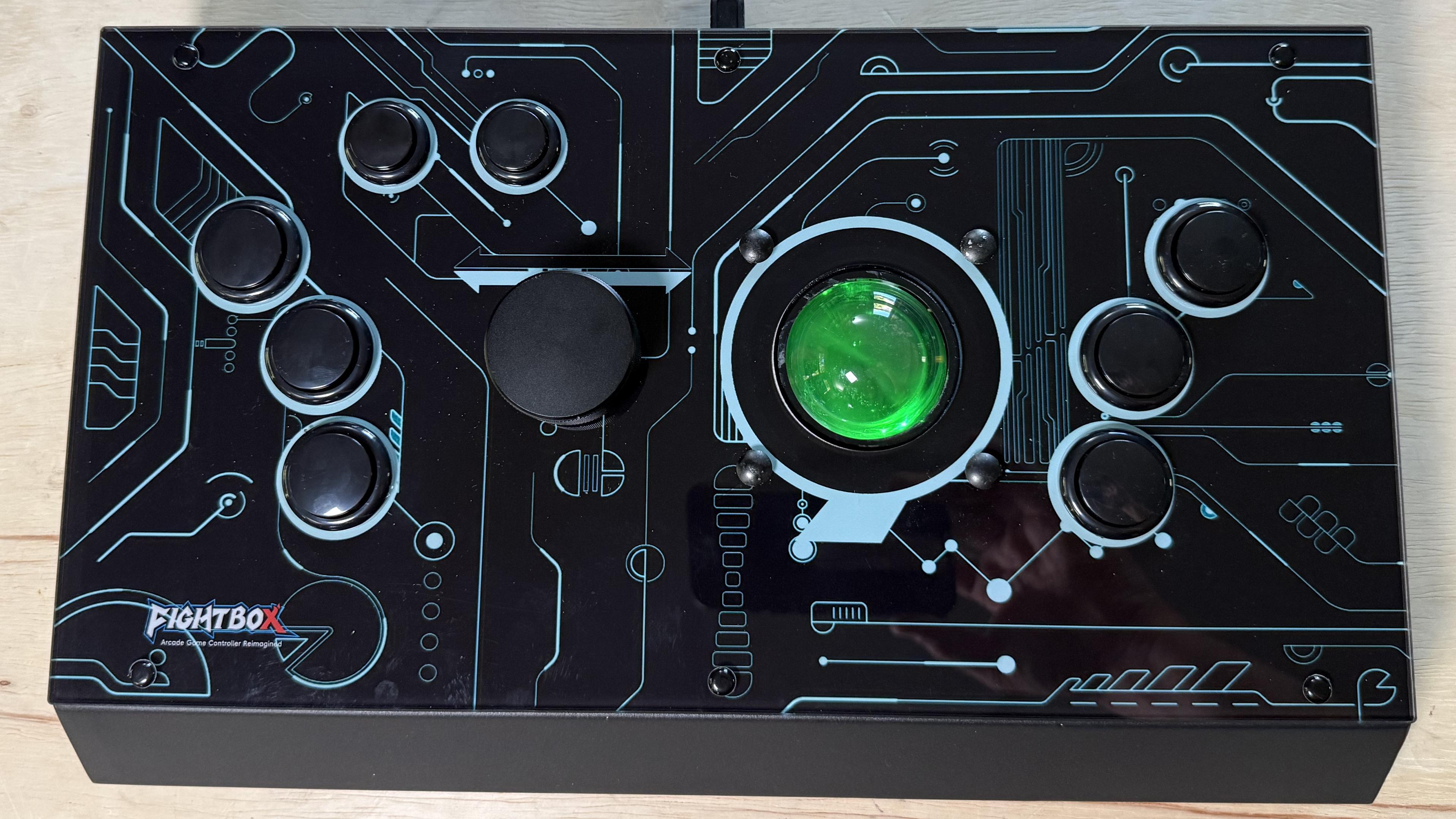
Spinner and trackball games ask for a different kind of input than a standard gamepad provides. The Fightbox R10 Remix brings both controls together in one USB device, with arcade buttons for play, Start and Coin. A useful way to picture it is as a computer mouse with arcade controls built in: the spinner and trackball appear to the system as the same mouse at the same time. That makes the Remix a specialized option for arcade play, rather than a general-purpose stick.
Using the Remix With MiSTer
The controller can work with MiSTer, but it takes a little setup. A keyboard is useful for navigating menus and skipping the controller-mapping prompt with the space bar. Power also matters: use a supply rated for at least 3A. The reviewer ran into problems powering MiSTer from a USB hub, then had no issues after switching to a Raspberry Pi 5 power supply.
Setup steps
- Connect a keyboard and a power supply rated for at least 3A before starting.
- Launch the arcade core you want to play. Once it loads, leave the keyboard alone at first.
- Press one of the Remix’s side “pinball” buttons until “Map P1” appears in the MiSTer on-screen menu.
- Open the MiSTer menu with the keyboard and choose the controller-mapping option.
- When MiSTer asks you to press right to begin mapping, press a side button you do not need.
After mapping, the reviewer tested the setup with Tempest and Arkanoid. The settings remained in place after a power cycle. One useful habit is to press a Remix side button first after loading a core. Otherwise MiSTer may assign Player 1 to the keyboard and its built-in trackpad, rather than to the Remix. The controller also worked the same way with RePlayOS in the games described.
Why It Matters
The top controls deserve attention before choosing this model. Although there are six physical buttons on top, they function as a three-button mouse. MiSTer’s mouse buttons are not currently mappable, but in the games tested they were assigned automatically to the relevant controls. That made them usable in those examples, though the fixed behavior could matter if you want to arrange the buttons differently. The same mouse-button behavior is a practical detail to keep in mind when considering the Remix for a particular game.
Z-retro View
The R10 Remix performed well in the review, and its layout felt more comfortable for spinner games. The difference was not dramatic: the reviewer was still comfortable using the R10 Pro for spinner play, even when the desk position felt awkward. The Pro was preferred because it offers more controls for only a little more money. The Remix may suit players who prefer a dedicated arcade stick for fighting games and want a separate setup centered on spinner and trackball play; the Pro may be the more flexible choice for someone who wants everything in one controller. The right fit depends on which controls you expect to use most.
For more setup detail, the reviewer points to the livestream at 1:34:22, while advising viewers to skip the earlier trial and error. A written walkthrough like the steps above is likely the quicker starting point. The R10 Remix is listed at https://retrorgb.link/r10remix. Other options mentioned include the R10 Pro with a new non-slip bottom, sold through Stone Age Gamer in the US and Dragonbox in Germany, as well as other R-Series sticks.