Retro Context
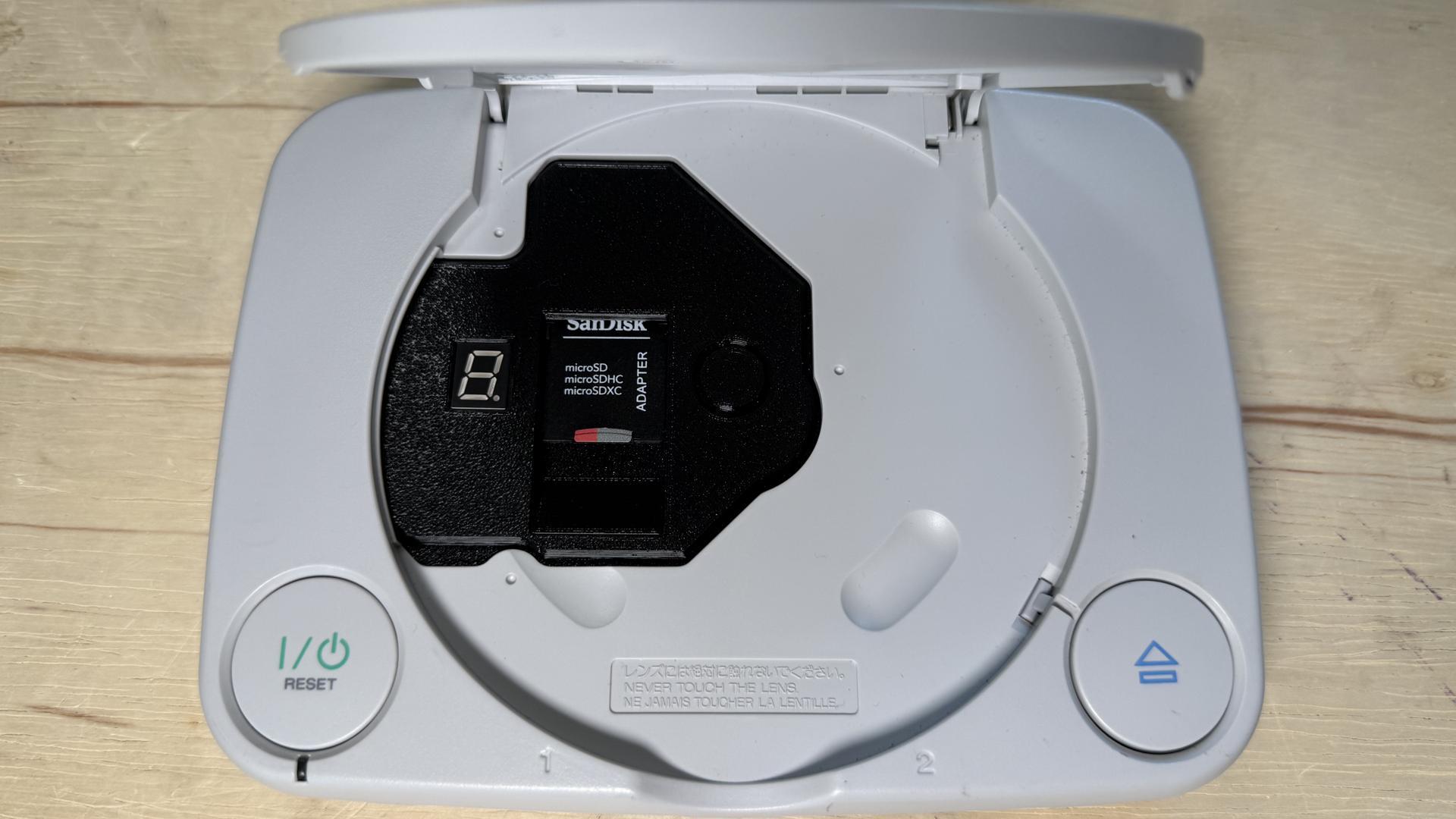
The original PlayStation reads games from optical discs, so replacing its drive is a different kind of upgrade from changing a controller or adding a memory card. An optical drive emulator, or ODE, takes the place of that assembly and loads game files from an SD card. ArcStation is designed to do this across all PlayStation 1 models. The unit tested here went into a PSOne, the smaller later version of the console, and the machine itself had not otherwise been modified.
ArcStation’s approach is to emulate the RF signal produced by the original CD-ROM assembly. The console therefore receives a signal like the one it would get from its own drive. That design helps explain why the installation can be so direct: open the console, remove the existing drive, and plug the ArcStation in its place. The SD card setup described in the test was also straightforward: format the card as exFAT. For model-specific steps, the maker’s [installation instructions](https://arcstation.net/guides/installation/pm-41/#choose-model) are the useful place to start.
Why It Matters
For people who want to play from game files instead of relying on the original optical drive, installation effort and total cost both matter. The ArcStation bought for this test came to about $167 after shipping, around $40 more than an XStation. That makes it the more expensive option at the purchase stage. But the comparison can change if an owner would need to pay someone to install an XStation. The cost of that work belongs in the calculation too, even though no exact installation quote is given here.
The swap itself was described as very easy: unbolt the console, take out its existing drive, and connect the replacement. That simplicity may be especially appealing to owners who would rather avoid a more involved project. Still, a plug-in installation does not make every feature equally simple on every model. On full-size PS1 consoles, Virtual Memory Card (VMC) and In-Game Reset (IGR) work without extra parts; on the PSOne, those features need additional parts and soldering. Check the instructions for the specific console before deciding what the complete setup will involve.
Several known compatibility trouble spots were included in testing on the unmodified PSOne, and the games tried worked. The system also ran PAL games on the NTSC console. When launched, those games switched to 288p or 576i at 50Hz. The console itself continued to run at 60Hz, because its speed is tied to a region-locked crystal oscillator. Replacing that oscillator with one suited to the other region would be needed for the console to run at the corresponding speed. The video-mode change and the console’s operating speed are separate details, so it is helpful to keep both in mind when setting expectations.
Multi-disc games worked as well. ArcStation can identify them through its built-in database, matching game serial numbers after the user presses Start and chooses “Refresh Games List.” Each bin/cue set still needs its own folder, as usual, but the test did not require any special multi-disc setup beyond that. Naming the folders in sequence with the same game name is a sensible way to keep them easy to follow. This gives players a practical bit of housekeeping to do before building a large library.
Folder organization was flexible in the test. Games could sit in regular subfolders, which is useful for sorting by region, type, letter, or another personal system. A folder containing bin/cue files appeared in the menu like an ISO, so there was no need to open that folder before launching a game. Taken together, the list refresh, multi-disc matching, and folder display made browsing feel straightforward. The convenience depends on keeping the files arranged in the expected folder structure, but it leaves room for an organization style that suits the owner.
There is one important save-data caveat for VMC users. If VMC is enabled while an original or third-party memory card is also inserted, saves may be corrupted. That makes it worth choosing a save approach deliberately rather than treating the virtual card as an extra that can always sit alongside a physical one. The tester said they rarely use IGR and prefer a MemCard Pro, but that is a personal preference, not a requirement for using ArcStation. PSOne owners should also factor in the extra parts and soldering needed for VMC and IGR before counting those features as ready to use.
Z-retro View
ArcStation looks like a considered option for PS1 owners who value a simple drive replacement and broad file organization, especially when the console is compatible with the features they want. Its price is higher than the XStation in this purchase, while an installation bill could affect the overall comparison. Compatibility testing was encouraging, including PAL and multi-disc examples, but the result still depends on properly ripped files and the right setup. The PSOne-specific requirements and the memory-card warning deserve a place in the decision, alongside the appeal of a quick installation.
The hands-on installation was shown in a livestream, with a shorter demonstration also made by Tito from Macho Nacho Productions. ArcStation’s main page is available at [arcstation.net](https://arcstation.net/) for product details. Between the live walkthrough and model-specific instructions, owners can get a clearer sense of the physical process before opening a console. As with any PS1 drive replacement, it is worth matching the guide to the exact model and taking time to prepare the game folders and save setup before play.