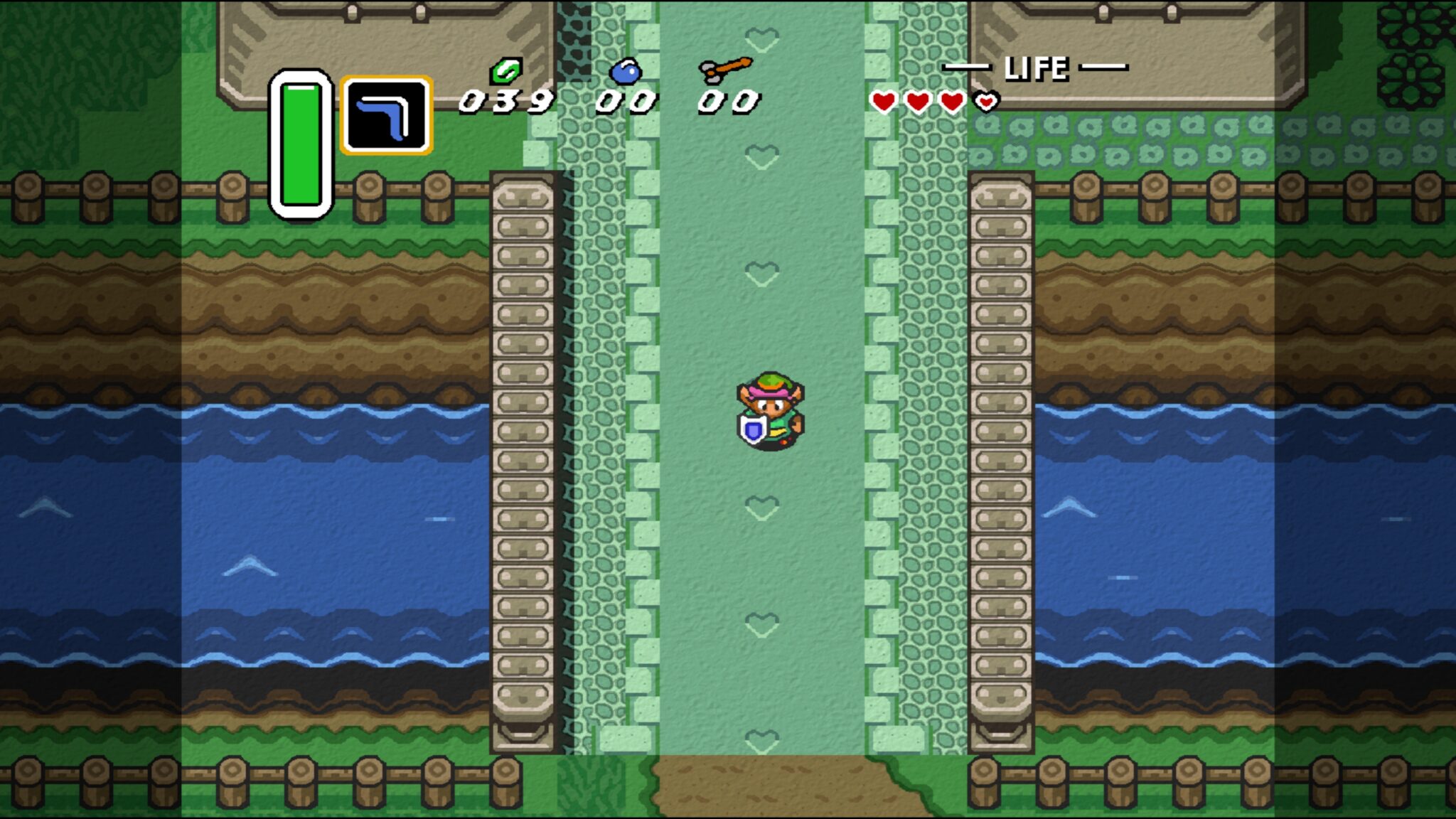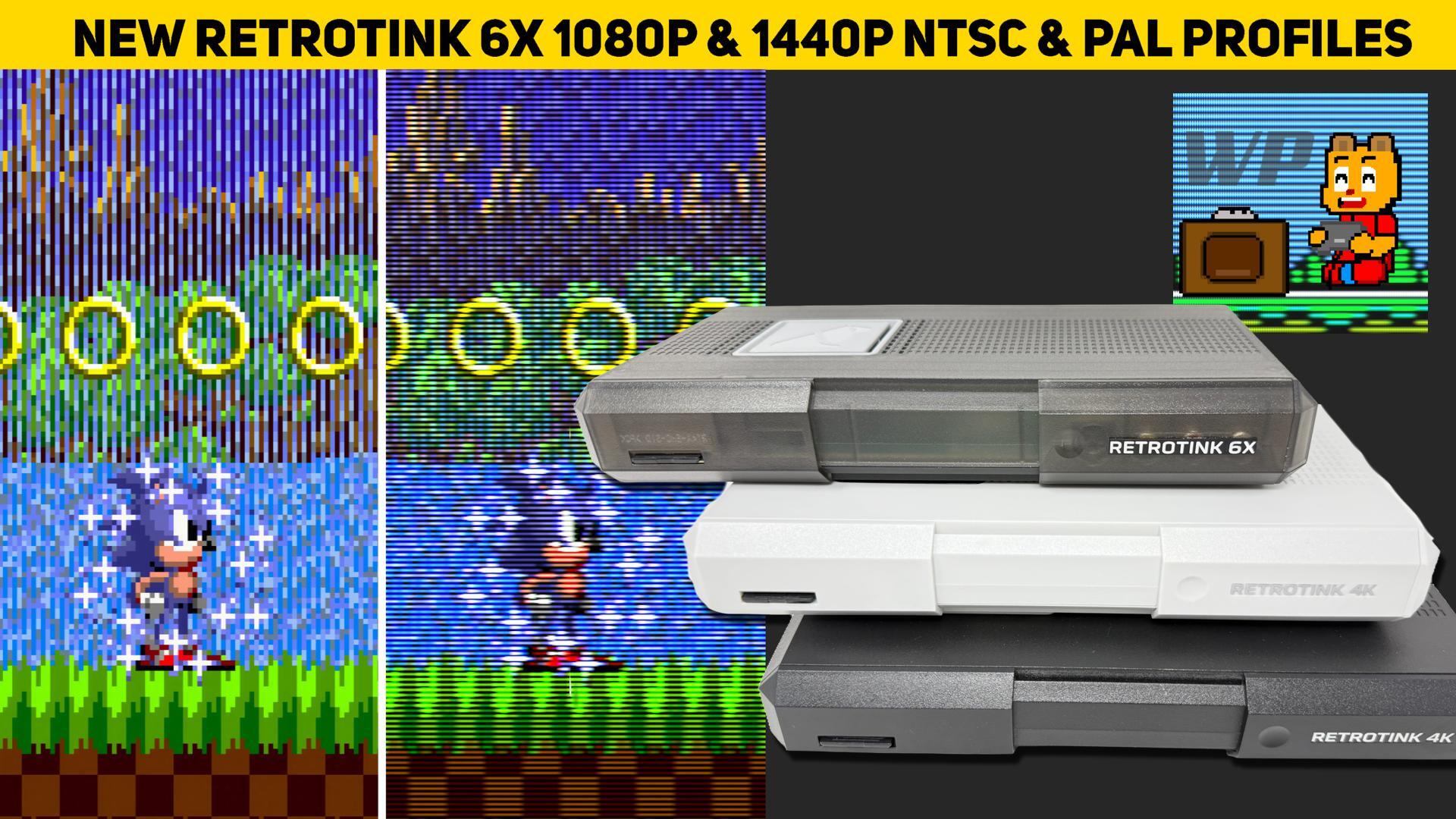
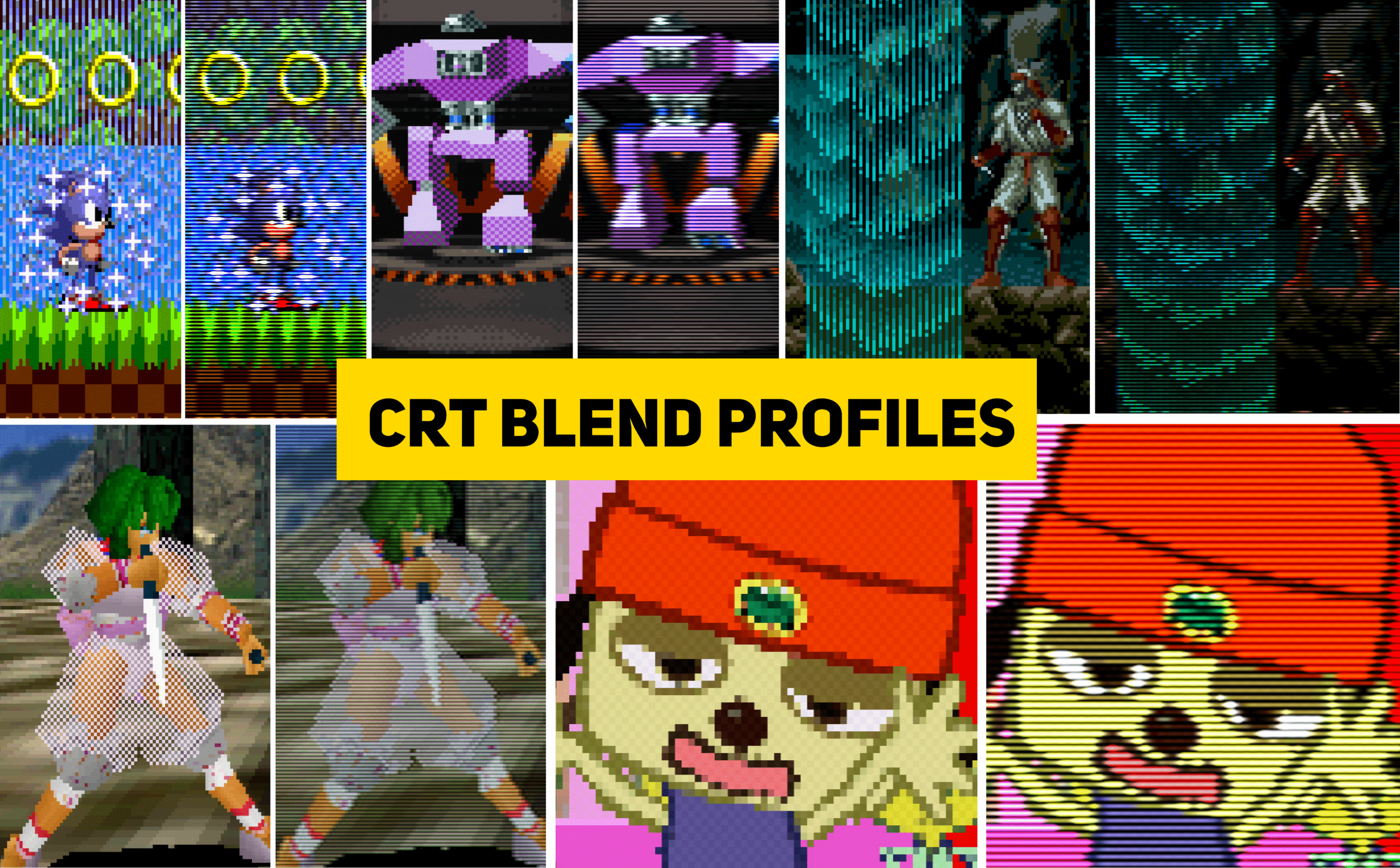
Wobbling Pixels has released a large update to its profile pack for the RetroTINK 4K CE and Pro. The pack gives owners a ready-made set of display settings to load, rather than asking them to build every look from scratch. Among the additions are CRT blend profiles, alongside refreshed profiles for a range of classic and later consoles. The update is a useful reminder that a video scaler’s character comes not only from its hardware, but also from the settings and profiles available to the person using it.
Retro Context
Old consoles sent video through different signal types, and those signals can shape the look of familiar games. The new CRT blend profiles aim to combine the colors associated with RGB output with the dithering blend associated with composite video. That combination matters for games whose picture relied on patterns of neighboring pixels blending together on a display. The update gives owners a convenient way to explore that look through the RetroTINK 4K profile system.
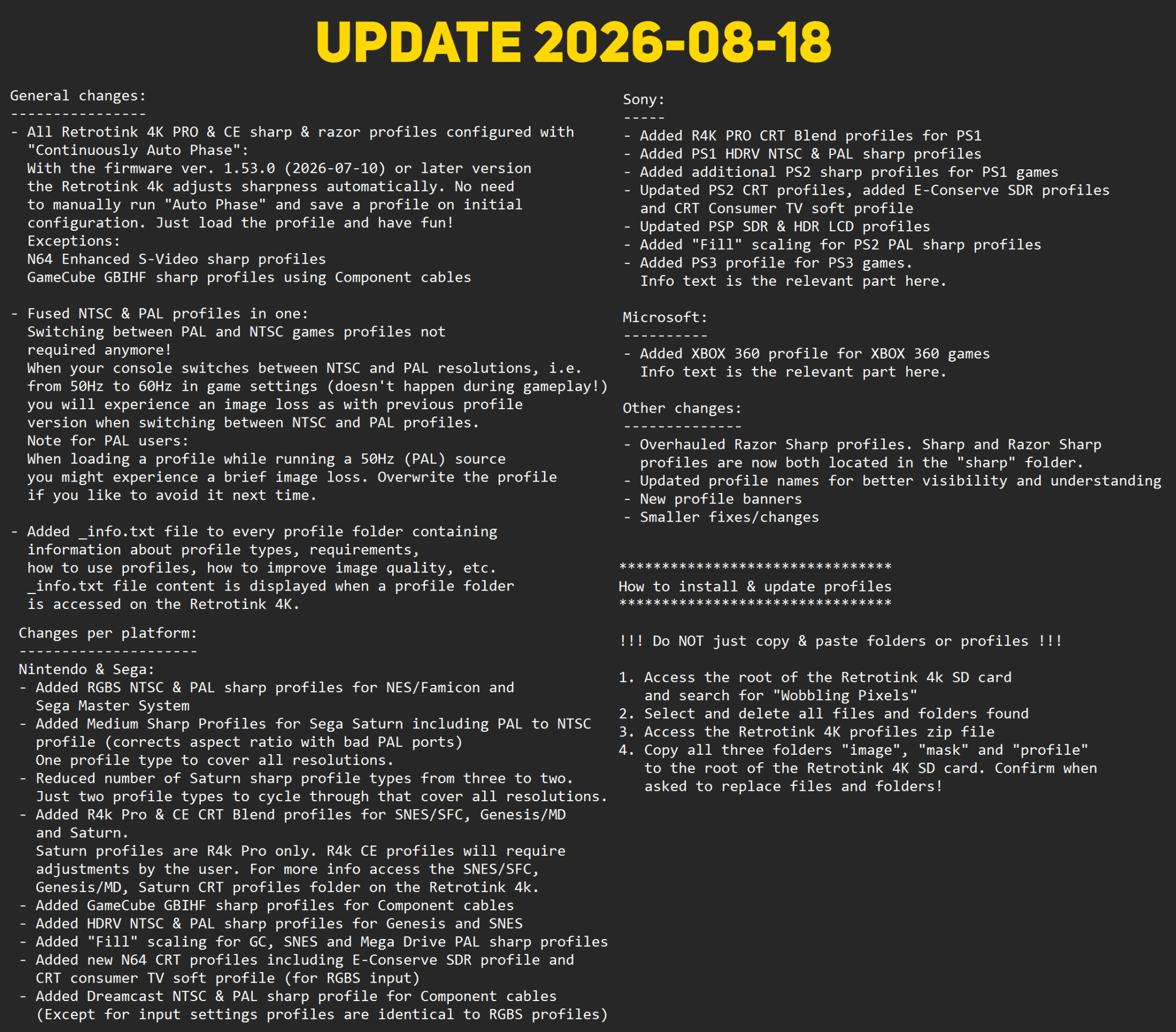
The pack covers more than one era of hardware. For RetroTINK 4K Pro users, CRT blend profiles are included for Genesis, Super Nintendo, Saturn, and PlayStation 1. Other profile groups have also been revised for systems including NES, SMS, PS1, PS2, Saturn, N64, GameCube, GBHIF (Component), and PSP. HDRV profiles are listed for PS1, SNES, and Genesis/MD. This breadth makes the pack relevant to people switching between several generations of analog consoles.
Why It Matters
Profiles can save time for owners who would otherwise have to adjust settings manually. The update is described as a substantial step beyond the previous Wobbling Pixels pack, and its appeal is practical: load a prepared profile and get a considered starting point for a console or visual style. The CRT blend options are a notable part of that work, but they are only one piece of a broader set of sharp, CRT/LCD, and HDRV updates.
There is an important source-type caveat. The profiles are intended for analog consoles, with HDMI listed as the exception. Applying an analog profile to a digital source will either have no effect or may produce a result that does not look right. In other words, a profile name alone does not make it suitable for every device connected to the scaler. Match the profile to the kind of signal you are using.
The installation notes shared in an update dated 08/20 start with the SD card. Connect it to a computer and search for “Wobbling Pixels,” then remove the matching files and folders before copying in the three folders from the new ZIP. The instructions say this should remove WP-related material; making a backup of the card first is offered as an extra precaution. That small check can help preserve anything else stored on the card while preparing it for the new pack.
Before installing, owners can check the pack download at https://retrorgb.link/wp_rt4kprofiles and the latest RT4K firmware information at https://retrotink-llc.github.io/firmware/4k-experimental.html. RetroTINK product information is available at https://retrorgb.com/retrotink.html. The firmware link is useful context for keeping the scaler’s software information close at hand; the profile pack itself remains the main addition covered here.
Z-retro View
This update is a good example of how preservation and presentation can work together. A profile does not replace the original console or its video signal, but it can make it easier to see a game through a particular display style without starting every adjustment from zero. For players who enjoy comparing RGB clarity with the softer blending associated with composite, the new options offer a practical way to explore that difference.
As with any ready-made settings pack, the best result depends on using the right profile for the source and on personal preference. The range here should be welcome to RetroTINK 4K CE and Pro owners, especially those with several analog systems, while the analog-versus-digital note deserves a careful read before loading anything. The pack turns a substantial amount of tuning work into a simpler starting point, leaving room for each player to decide which look feels right for their setup.