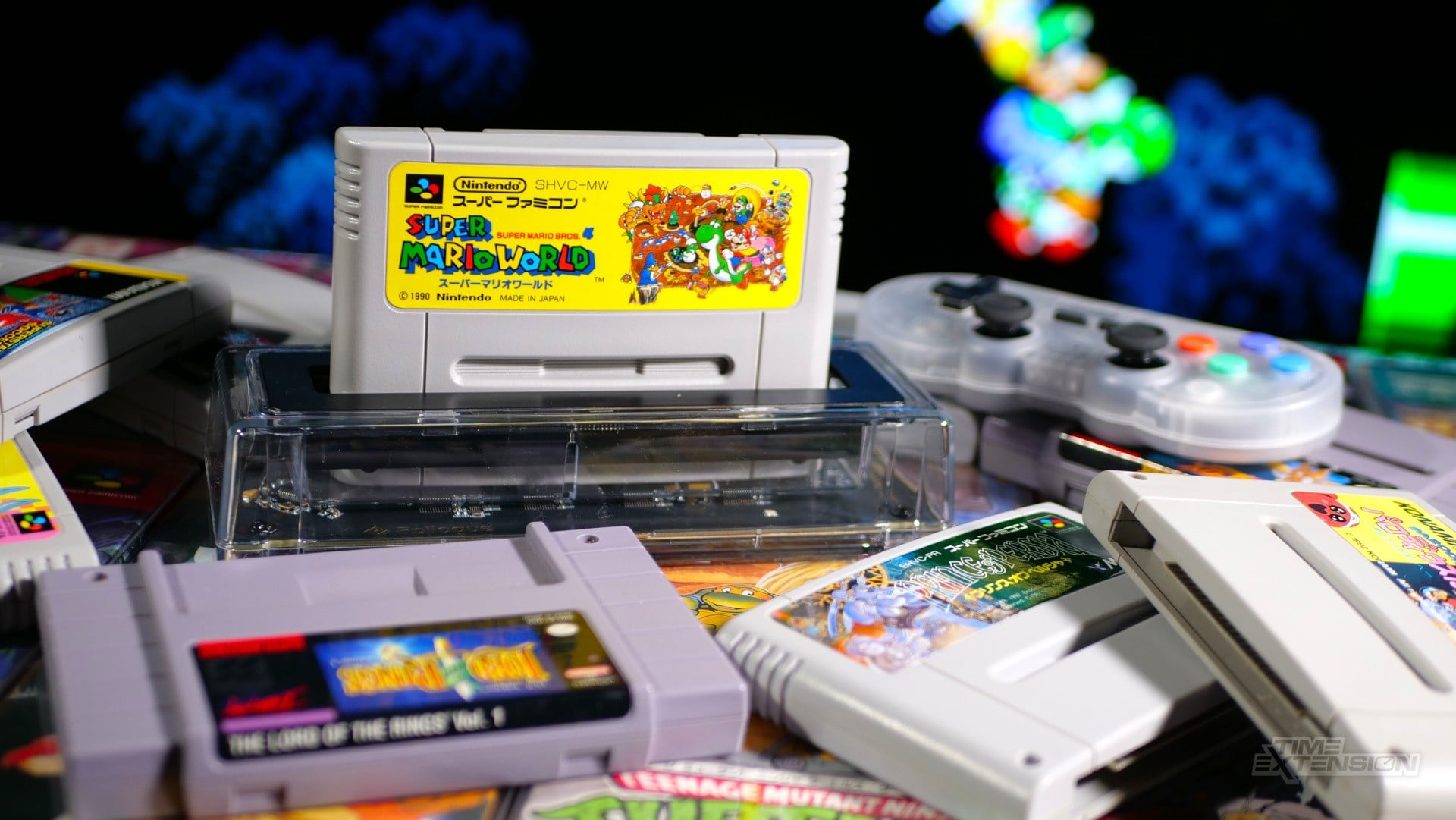
Epilogue's SN Operator is aimed at a very specific kind of retro player: someone who still owns Super Nintendo or Super Famicom cartridges, but also wants the comfort of playing on a computer. The device takes the idea behind Epilogue's earlier GB Operator and moves it to Nintendo's 16-bit library. Insert a cartridge, connect the unit over USB-C, open the Playback app, and the software can identify the game, launch it through emulation, dump the ROM for personal use, or back up save data from the cart.
Retro Context
SNES emulation is not new, and that matters when judging a product like this. Many players have been running Super Nintendo games on PCs for years, often with free emulators and manually managed ROM folders. The SN Operator is not trying to prove that SNES emulation can be done. Its value is in tying emulation back to a physical collection. For collectors, the cartridge is not just a delivery method. It is the object they bought, kept, imported, repaired, displayed, or found years later in a box. A reader like this gives that object a role in a modern setup without asking the player to keep original hardware connected at all times.
The hardware follows the same broad style as the GB Operator. Time Extension's review unit was the Founder's Edition, but that version is functionally the same as the standard model. The extras are collector touches, including board text, a pin badge, and a sticker. The core device is a compact transparent plastic reader with a rubberised base, an LED power indicator, and a bundled USB-C cable. It is a simple physical product, which is the right approach here. The cartridge should feel like the star, while the reader gets out of the way.
The software side is where the SN Operator becomes more than a slot on a desk. It uses Epilogue's Playback app, the same application used by the GB Operator. If both devices are plugged in, the app can switch between them. When an SNES or Super Famicom cartridge is inserted, Playback checks it against its database and, when matched, presents box art and a description. That may sound cosmetic, but it changes the feel of the process. Instead of opening a loose emulator window and browsing for files, the user is working through a cleaner library-style flow built around the real cartridge.
What Playback Brings Together
- Game matching through an internal database when a cartridge is inserted.
- Box art and a short description when the cartridge is recognised.
- ROM dumping from owned cartridges for personal use.
- Cartridge save-data backup, which can matter a lot for old games with long-running saves.
- Official support for bsnes through the SN Operator and Playback setup.
- Options for Mode 7 effects, including higher-resolution Mode 7 surfaces in games such as F-Zero and Pilotwings.
Starting a game through Playback loads bsnes, the emulator Epilogue officially supports for this setup. The app can also boot other SNES emulators, but Time Extension notes that alternatives may not work perfectly with Playback. That makes bsnes the practical default for most users. Experienced emulator users may already know how to configure many of these features on their own, but the point here is convenience and presentation. Playback gathers the cart reader, game detection, save backup, ROM dumping, and emulator launch into one route that feels much less like a hobby setup checklist.
Compatibility with original-era cartridges was the strongest part of the reported testing. Time Extension tried North American SNES games, European SNES games, and Japanese Super Famicom games, and those worked without issue. The review also mentions an old review copy of Konami's J-League Perfect Eleven, which loaded correctly. That is useful context because many long-time collectors do not own a neat single-region library. Their shelves may include imports, odd copies, and carts picked up from different sources over many years.
The weaker point is modern cartridge support. Bitmap Bureau's Xeno Crisis was not recognised by Playback's internal database and would not load. Retro-Bit's reissue of Majūō: King of Demons hit the same problem. That caveat should not be ignored. The issue described in the source is not that all newer carts fail, or that the hardware cannot improve. Playback includes a way to submit game data, and database support can change. But based on the review, buyers should treat modern SNES releases and reissues as less certain than recognised original cartridges.
Why It Matters
The SN Operator is useful because it gives a cleaner path to a common retro problem. A player may own cartridges but prefer a computer monitor, modern controller options, screenshots, achievements, save backups, or the general convenience of emulation. Another player may want to preserve personal carts before ageing save data becomes a worry. This device gives those users a more organised route than loose ROM hunting or manual emulator setup. At the same time, the audience is narrow. If someone already has a ROM library and does not care about connecting physical cartridges, the SN Operator may feel unnecessary. If someone mainly buys new homebrew carts or boutique reissues, the database caveat matters.
Z-retro View
The SN Operator looks strongest as a collector's bridge, not as a replacement for every other way to play SNES games. It respects the appeal of original cartridges while accepting that many people now enjoy retro games through computers. The polished app, save backup option, bsnes support, and simple hardware design all make sense for that goal. The limitation is that its best use case depends on owning compatible carts, and newer releases are not yet as predictable as classic library titles in the reported testing. For the right user, that is still a meaningful niche: a tidy, preservation-minded way to keep a real SNES collection active without turning the whole process into emulator homework.